Explore Monitors



Filters
Filters



FAQs
-
What factor should I consider while buying a computer monitor?For computer monitors, consider factors such as resolution, panel type, refresh rate, response time, connectivity options, and intended use (gaming, content creation, productivity) to determine the optimal combination of features for your specific needs.
-
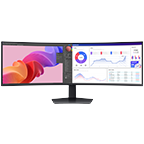
What different types of monitors does Samsung offer?Samsung’s monitors include gaming monitors, ultrawide or wide screen monitors, curved monitors, and business monitors that are tailored for productivity. Each type caters to different preferences and use cases.
-
What are the benefits of a higher refresh rate in computer monitors?A higher refresh rate in monitors, such as 144Hz or 240Hz, results in smoother motion, reduced motion blur, and improved responsiveness, especially beneficial for gaming. It enhances the overall visual experience by providing a more fluid display.
-
Can I buy a Samsung monitor with a 0% monthly instalment plan?Yes. Interest-free monthly instalments are available on purchases above $500 with participating credit cards. You can select the instalment option at the payment stage during checkout.
-
Are there any offers available when buying a Samsung monitor?Offers may vary by monitor and current Samsung Singapore promotion. Check the current offers available for the monitor you are considering before purchasing.
-
Which Samsung monitor is best for my needs?The best monitor depends on how you plan to use it. Important factors include resolution, panel type, refresh rate, response time, connectivity and intended use such as gaming, content creation or productivity.
-
What payment options are available for buying a Samsung monitor in Singapore?Samsung Singapore provides online payment and financing options for monitor purchases, including eligible interest-free instalment plans.
-
What benefits do I get when buying a monitor from Samsung Singapore?Buying direct includes Samsung Rewards points on Online Store purchases, free doorstep delivery on selected items, 0% instalment plans above $500 and official Samsung warranty. Samsung Care+ is available separately for extended protection.
-
How do I register my Samsung monitor?Product registration and support options are available through Samsung Support. Registration requirements may vary by monitor.
-
What details are needed to register a Samsung monitor?You will need the serial number and model code. Enter the serial number printed on the monitor itself rather than the one on the packaging, and check characters carefully, since 'O' and '0' are easily confused.
-
What should I consider when choosing a Samsung monitor for everyday use?Consider resolution, panel type, refresh rate, response time, connectivity and intended use when selecting a monitor.
-
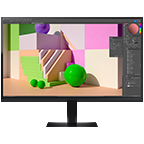
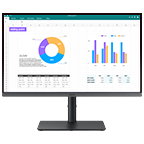
Which Samsung monitors are suitable for photo and video editing?The ViewFinity range is built for creative and professional work, with resolutions from QHD to 5K and aspect ratios up to 32:9. ViewFinity monitors cover 99% to 115% of the sRGB gamut, and the ViewFinity S9 reaches 99% DCI-P3 for colour-critical workflows.
-
How do different Samsung monitor display types compare?Samsung organises monitors into three ranges. Odyssey is built for gaming with fast refresh rates and low response times. ViewFinity focuses on high resolution and colour accuracy for professional work. Smart Monitor combines a display with built-in streaming apps and Wi-Fi, so it works without a connected PC.
-
Which Samsung monitor range is suitable for PC gaming?Samsung's Odyssey range is designed for gaming, with options offering high refresh rates, fast response times and different resolutions depending on the model.
-
What should I consider when choosing a Samsung monitor for long-term use?Consider your intended use, resolution, screen size, refresh rate and connectivity so the monitor continues to meet your needs over time.
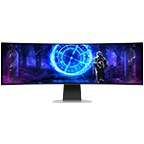
Take your viewing experience to unparalleled heights with Samsung’s advanced computer monitors. The curved design of the screen offers an immersive viewing environment, matching your natural field of view to improve depth perception and reduce distractions. These monitors also feature Eye Saver and Flicker Free mode, to make sure your eyesight remains healthy. TUV-certified eye protection technology also reduces eye fatigue by minimising blue light and eliminating screen flickering.
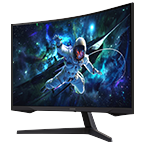
Samsung monitors deliver unparalleled performance for those who want a competitive edge when playing videogames. These gaming desktop monitors also offer vibrant details and an immersive gaming atmosphere with a 1000R curvature and Quantum Mini-LED lighting. With a 165Hz refresh rate, 1ms response time, and FreeSync Premium Pro, they offer world-class gaming capabilities that can make winning your favourite game a breeze. Plus, our monitor prices are so convenient, they won’t burden your pocket.
Give your PC an upgrade with a Samsung desktop monitor today.
⟡ Pre-order promotion is valid from 2 June 2025 7:00am to 15 June 2025 11:59pm.