Connect your Samsung Smart Remote to your TV
The Samsung Smart Remote is designed to connect to your Samsung Smart TV automatically to make setup easy and convenient. While you can sync the remote with another Samsung TV at any time, it is designed to operate with only one TV at a time. To use it with multiple TVs, you will have to manually pair it with your desired TV each time you switch.
 Please Note: The information on this page is for Australian products only. Models, sequences or settings will vary depending on location and/or where the product had been purchased. To be redirected to your local support page please click here.
Connect the Samsung Smart Remote
You can use the Samsung Smart Remote to operate your Smart TV, Smart Monitor or projector.
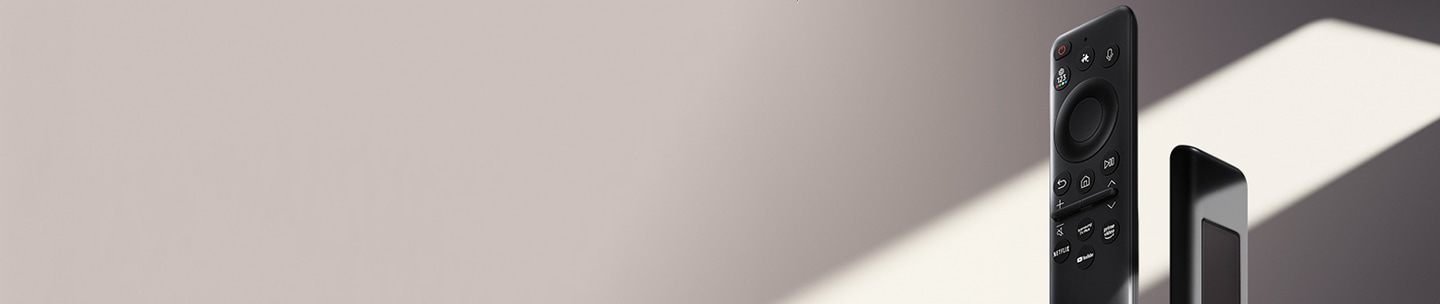
Note: Images, buttons and functions of the Samsung Smart Remote may vary depending on the device model and country.
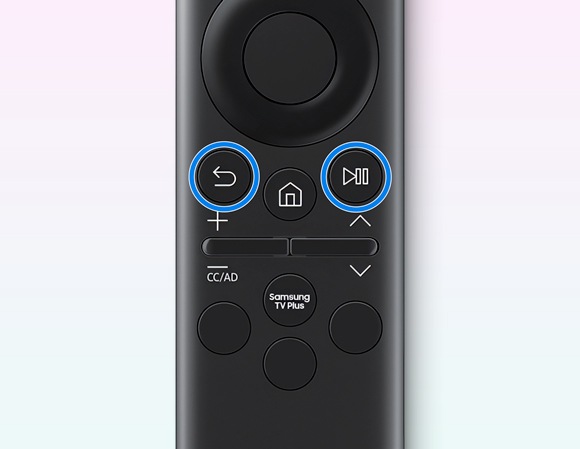
 Return and
  Play Pause buttons simultaneously for 3 seconds or more.
Troubleshooting
If the remote control is not working properly, please follow the instructions below:
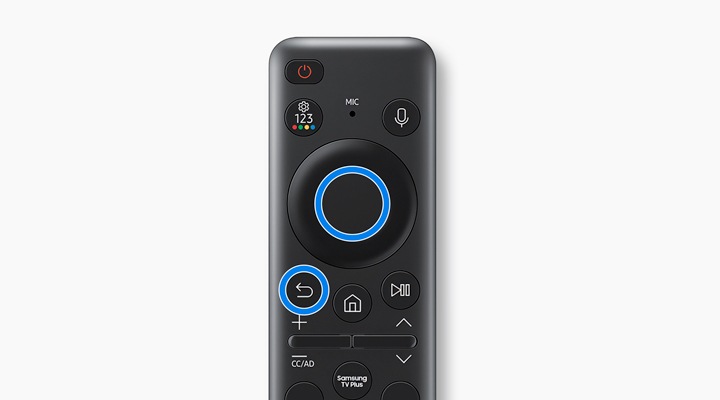
Reboot the remote control
Press and hold the Press and hold the Return and Enter buttons simultaneously for 10 seconds or more (for Smart Remotes that use batteries, try removing and reinserting the batteries).
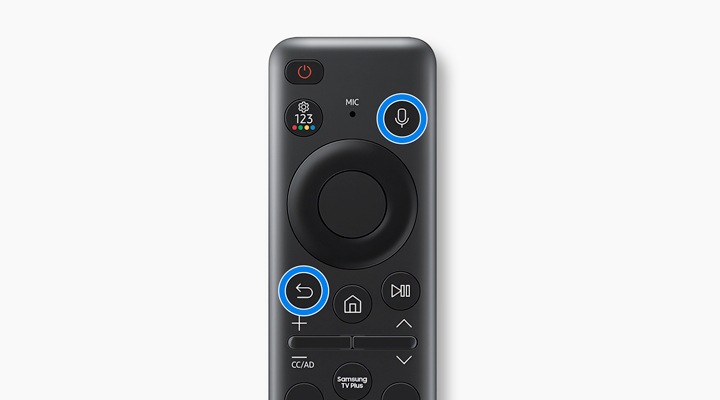
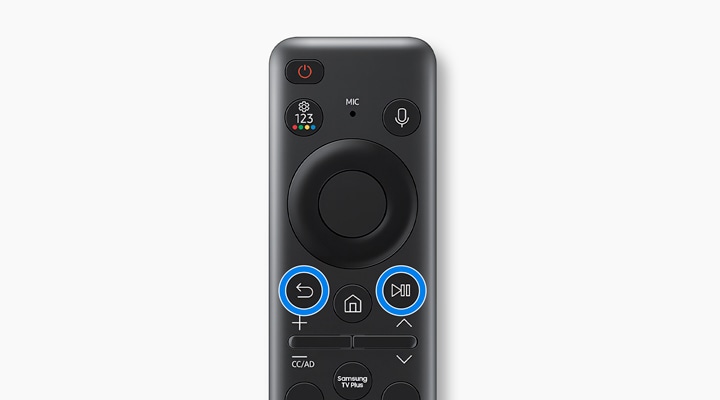
Reset and re-pair the remote control
Return and  Voice buttons simultaneously for 3 seconds or more.
 Return and Play Pause buttons simultaneously for 3 seconds or more.
For further troubleshooting steps, head to Troubleshoot your Samsung TV Remote Not Working.
If you require assistance, please contact our Chat Support. To find your Samsung product's User Manual, head to Manuals & Downloads.
Thank you for your feedback!
Please answer all questions.
Contact Info
Contact us
WhatsApp
![]()
![]()

